Seven Parameter Transformer: Bursa-Wolf Geodetic Coordinate Batch Conversion Tutorial
How Does the Seven Parameter Transformer Solve Multi-Coordinate System Integration Challenges?
The Seven Parameter Transformer provides batch conversion between WGS84, CGCS2000, Beijing 54, Xi'an 80 XYZ and BLH coordinates based on the Bursa-Wolf model, focusing on solving offset and traceability issues in multi-source coordinate fusion in surveying, engineering, and GIS platforms. The tool features open algorithms, error adjustment, and process logs to ensure each conversion is traceable, reproducible, and evaluable.
With automatic adjustment and templated parameter management, teams can quickly reuse high-confidence seven parameter sets across projects and verify each rotation and scale correction step through logs, facilitating submission of complete technical documentation during public bidding and acceptance phases.
Practical Application Scenarios
- Construction and Municipal Surveying: Integrating CGCS2000 results with local independent coordinate systems to ensure seamless splicing of underground pipelines, BIM models, and as-built drawings.
- Energy and Transportation Engineering: Inter-provincial construction requiring interoperability between Beijing 54, Xi'an 80, and WGS84 coordinates, with the Seven Parameter Transformer providing full-process error evaluation.
- Remote Sensing and UAVs: Aerial photography results often output in WGS84, requiring high-precision seven parameter conversion before importing to local Gauss-Kruger projection.
- Natural Resources Confirmation: Historical boundary stake coordinates often use older geodetic datums, and the tool can reliably map them to CGCS2000 for registration and review.
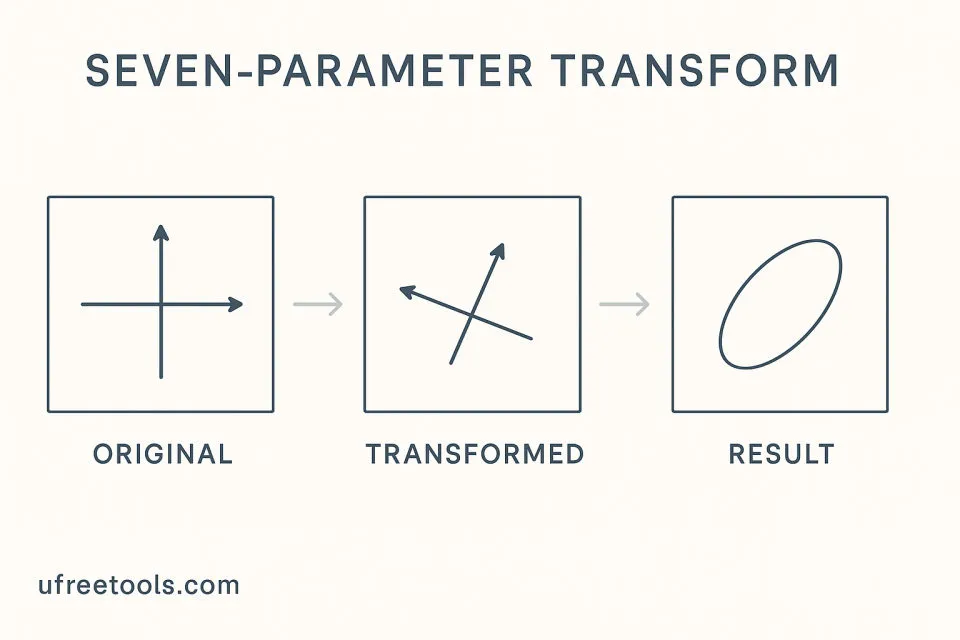
From single-point checking to tens of thousands of batch processing, the Seven Parameter Transformer can output reports containing coordinate residuals, RMSE, and confidence intervals. Relying on 100% frontend implementation, sensitive point coordinates never leave the browser, meeting compliance requirements for data landing in classified projects.
Frequently Asked Questions
How does the Seven Parameter Transformer ensure Bursa-Wolf seven parameter calculation accuracy?
The tool uses the least squares common point method to solve seven parameters and outputs residual vectors, Sigma0, and 95% confidence intervals. You can verify the matrix computation process through logs to ensure Bursa-Wolf seven parameter accuracy meets project specifications.
How to set custom delimiters when importing batch CSV?
In the "Coordinate Data Input" area, adjust the delimiter field. The Seven Parameter Transformer will parse XYZ/BLH/ENH data according to the new delimiter while preserving point names or comment columns for subsequent matching.
Can the Seven Parameter Transformer handle both Gauss-Kruger and UTM projections simultaneously?
Yes, simply select the corresponding mode in "Projection/Elevation Parameters" and fill in the central meridian, zone width, and scale factor. The conversion process will first perform 3D forward calculation, then inverse calculate to the target projection coordinates.
How to obtain seven parameters when common points are insufficient?
If you have fewer than three common points, you can call built-in sample parameters in the "Parameter Template", or input reference values from historical projects, then iteratively update with newly collected field points.
Does the Seven Parameter Transformer support local independent coordinate systems?
Yes. You can input semi-major axis and flattening reciprocal in "Custom Ellipsoid Parameters" and combine with custom projection parameters to achieve realistic restoration and mutual conversion of local independent coordinate systems.
Seven Parameter Transformer Operation Guide
Select Coordinate System and Projection Mode
First select source and target coordinate systems, then fill in central meridian, zone width and other information in the projection parameters area to ensure consistency with measured data.
Enter or Import Coordinate Points
Manually input single point XYZ/BLH/ENH, or drag CSV/TXT for batch import. Adjust delimiters as needed to maintain correct parsing.
Configure Seven Parameters
If parameters are known, directly fill ΔX, ΔY, ΔZ, Rx, Ry, Rz, and scale; if unknown, paste point pairs in "Common Points Solver" and run adjustment.
Execute Conversion and View Logs
After clicking "Perform Conversion", real-time logs will show parsing, forward/inverse calculations, rotations, and scale corrections, facilitating issue tracking.
Evaluate Accuracy
The results panel shows RMSE, maximum residual, and 95% confidence interval. If metrics exceed limits, return to the parameters area to adjust or readjust.
Export Results and Reports
After confirming accuracy, export the result CSV and logs together for archiving or submission for review.
Deployment Completed
Congratulations! You have mastered the entire Seven Parameter Transformer workflow and can now quickly complete batch conversions in multi-source coordinate fusion projects while outputting professional-level accuracy reports.
Recommended Related Tools
Map Sheet Calculator
Calculates sheet numbers based on latitude and longitude coordinates, supporting multiple scales.
GNSS Time Converter
Tool for converting between GPS time, BeiDou time, and UTC time.
Area and Perimeter Calculator
Supports drawing polygons to automatically calculate area and perimeter with multiple unit switching.
Baseline Calculator
Inputs start and end coordinates to calculate baseline length and azimuth, supporting error propagation analysis.
External References
- China Association for Geographic Information Science - Standards and Regulations
Chinese geographic information industry standards and technical regulations
- ISO 19111 Reference Coordinate System Standard
Authoritative international standard for coordinate reference and projection transformation.
- Open Geospatial Consortium (OGC) Standards
International standards for geospatial data transformation